
Private journal for adults · iPhone & Apple Watch
QuietLog · Keep a quiet record.Know your own rhythm.
QuietLog is a private health and habit journal for adults. Log in seconds on iPhone or Apple Watch, time an activity, and see your patterns in calm, clear charts. The developer does not receive your journal entries through the app.
- Optional App Lock
- On-device journal
- No ads, no tracking in the app
- iOS 18 · watchOS 11
- No account needed
- No server
- CSV & XLSX export
Core features
Everything you need. Nothing you don’t.
From a two-tap entry to a year of patterns, QuietLog keeps the journal simple and the insights honest.
Quick entry
Date, type and the counts you care about. Every field can stay blank, and mood and notes are optional.
Timer
Start on iPhone or Watch and come back later. If the clock changes, the duration is left blank instead of guessed.
Statistics
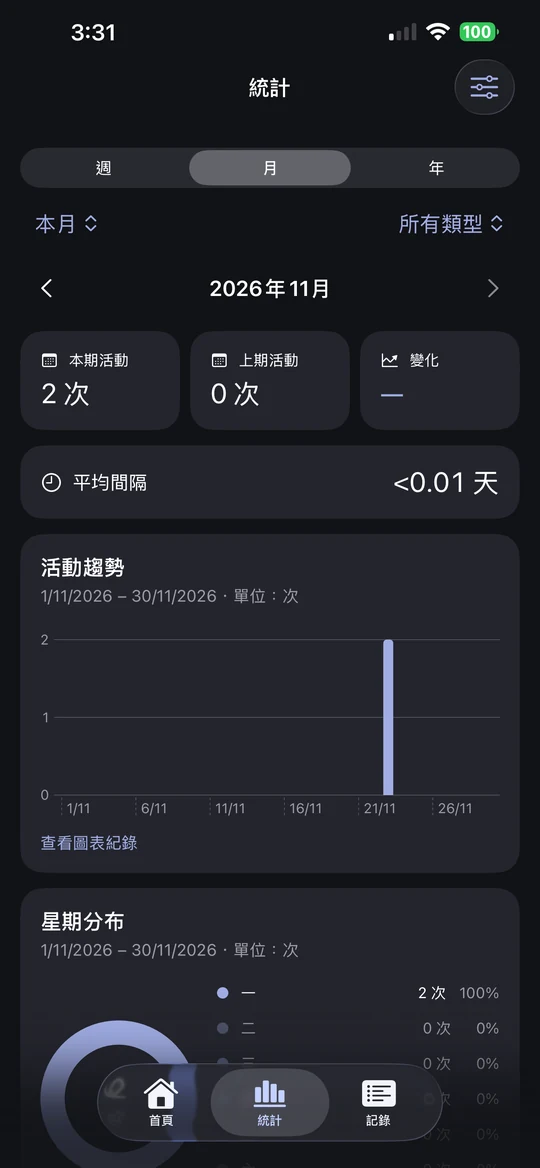
Trends by week, month and year, weekday and time-of-day patterns, and mood alongside frequency.
Calendar heat map
See busier and quieter days at a glance, then open any day to edit or delete an entry.
Private goals
Set a weekly or monthly goal for yourself. Goals are for reference only, never a score.
CSV & XLSX export
Choose the range and types. Moods and private notes are left out unless you include them.
Inside the app
Calm screens, designed for the dark
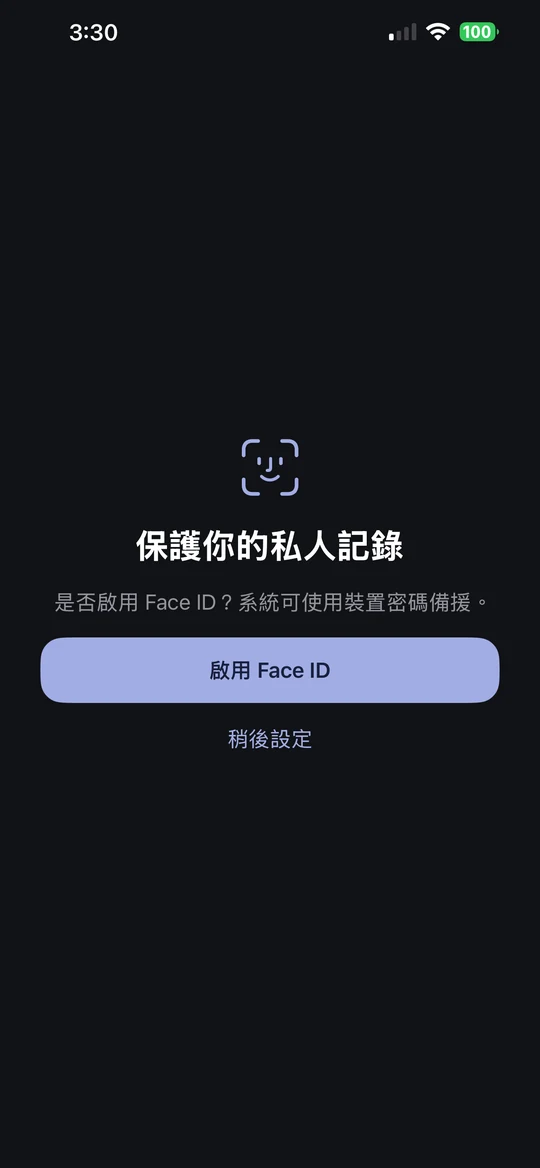
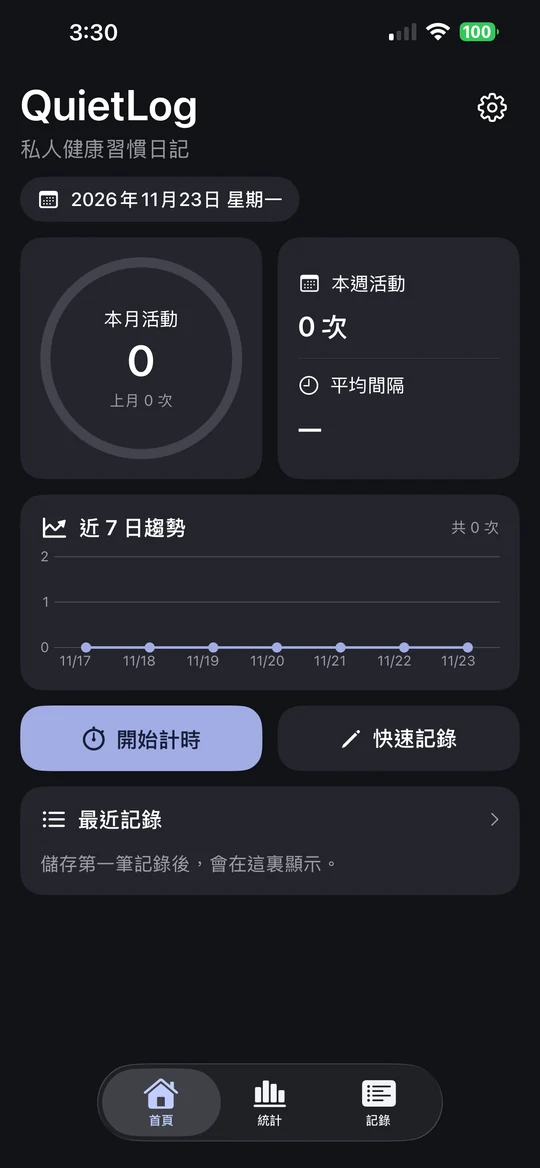
You can turn on App Lock when you first open the iPhone app. Home: this month, this week and a seven-day trend. 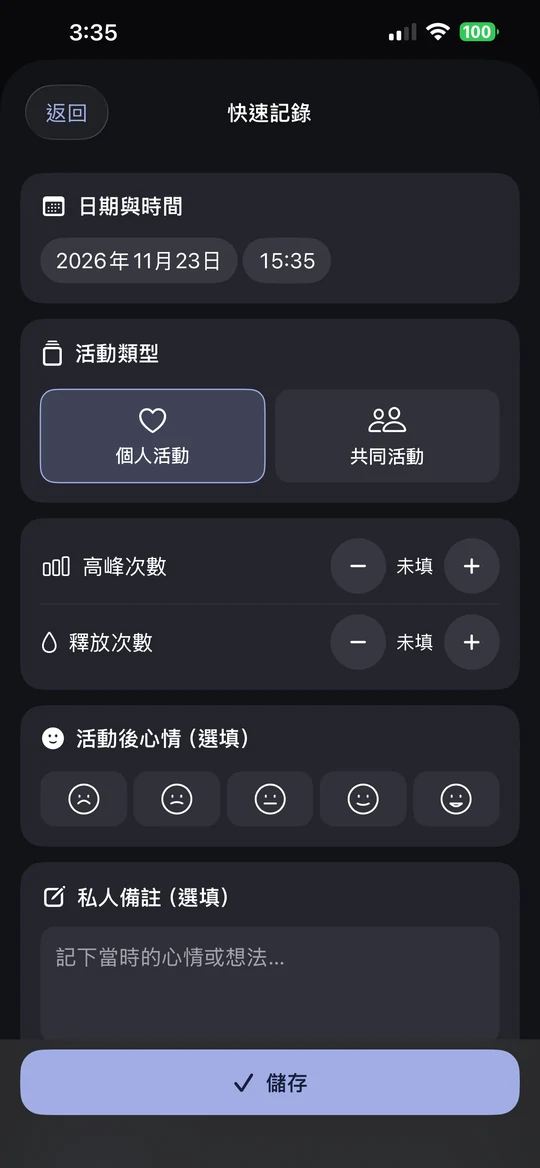
Quick entry, with optional mood and private notes. 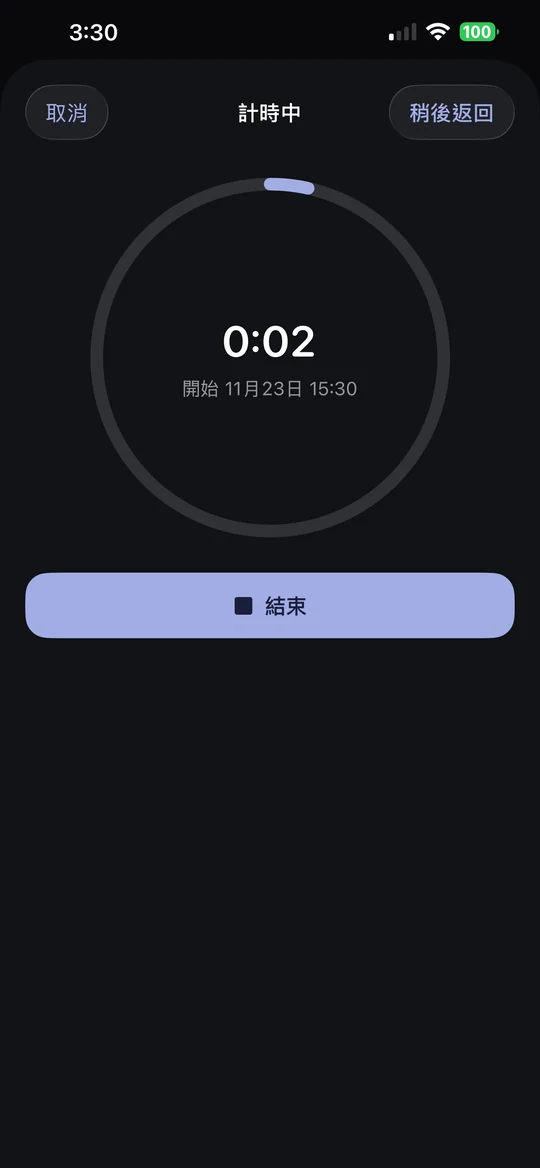
The timer keeps running when you leave the app. 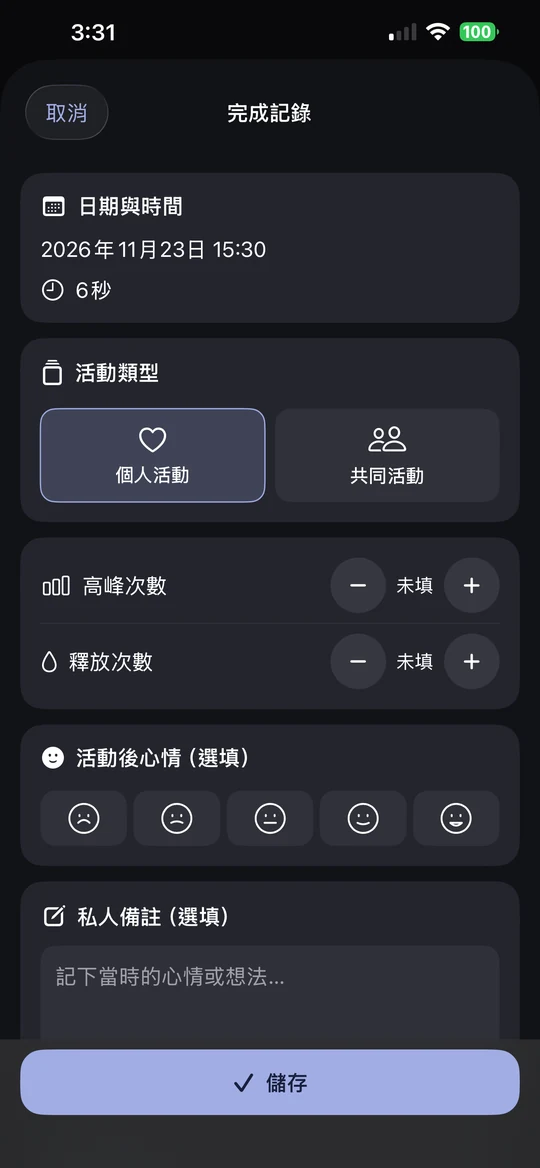
Finish the entry once the timer ends. Statistics by week, month or year. 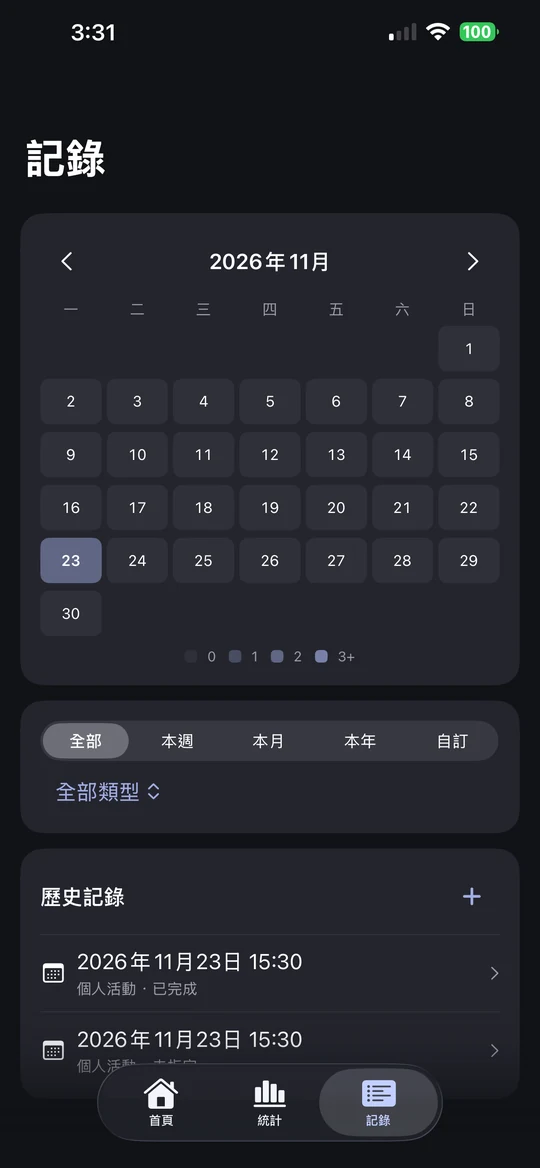
Records and the calendar heat map.
Privacy & security
Your journal belongs to you
The developer does not receive your journal entries through QuietLog. The app has no account, developer-operated server, analytics or advertising.
Optional App Lock
You can lock the iPhone app with Face ID or your device passcode. iOS performs the check and shares only the result. This setting applies to the iPhone app.
On-device journal
Your iPhone holds the main journal and marks it for exclusion from device backups. The paired Watch keeps entries until the iPhone confirms receipt and holds a recent activity summary. QuietLog does not sync your journal to iCloud.
Discreet by design
Low-profile mode softens on-screen wording, and Home can hide its statistics and recent entries.
Export on your terms
You can require authentication before exporting. Moods and notes are excluded by default.
How it works
Three steps, no sign-up
Record
Tap Quick entry or start the timer, on iPhone or straight from your wrist.
Sync
When the Watch is offline, it keeps pending entries until the iPhone confirms receipt.
Reflect
Open Statistics to see trends, intervals and how your mood moves with your habits.
Apple Watch
Log from your wrist, even offline
Start a timer or save a quick entry without reaching for your phone. When the Watch is away from your iPhone, entries are kept on the Watch until the iPhone confirms them.
- Timer and quick entry on the Watch
- Pending entries kept until confirmed
- A short summary of recent activity
- Editing stays on iPhone
FAQ
Questions, answered quietly
Who is QuietLog for?
QuietLog is a personal journal for adults who want to record private health and habit activity and understand their own patterns.
Can the developer see my entries?
No. Entries are processed on your iPhone and paired Apple Watch. The app has no developer server, analytics or advertising.
What happens if I lose or change my iPhone?
QuietLog marks the main journal for exclusion from automatic backups. Export a CSV or XLSX before changing phones. Entries you do not export may be unrecoverable.
Do I need an Apple Watch?
No. The iPhone app works on its own. The Watch app adds a timer and quick entry on your wrist.
Is this medical advice?
No. Statistics only summarise what you entered. They are not a diagnosis or health advice.
QuietLog is intended for adults. Statistics summarise the information you enter and are not medical advice.